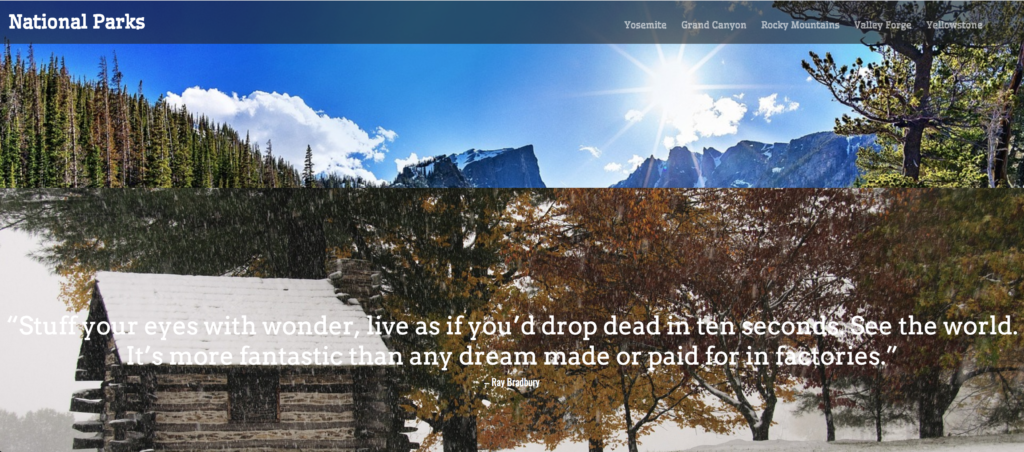
Overview
In this project, we are going to be designing a single page navigation with a parallax effect. We are going to be learning some new html tags and css attributes. I am also going to be demonstrating how you can pull in Google fonts to ensure that your fonts come up on every browser, regardless of the fonts that are installed on a users computer. We are going to quickly go over single page navigation and parallax effects, then move right into creating a very simple site.

What is single scroll navigation?
A recent design technique for sites that have information to share with its users, but do not have a whole lot of content, are single scroll pages or navigation. Using a very simple jQuery snippet, the site acts like it has multiple pages by "scrolling" to the desired section of the of the site when clicked from a menu. It adds a nice little piece of interactivity to the overall user experience.
What is parallax scrolling?
If you have ever played an old video game like, the original Sonic the Hedgehog, you may have noticed the background moving at a different rate then the character is moving. This 2D animation is the basis for parallax scrolling. It is meant to give a relatively flat design a sense of depth. More recently, web designers and develops have been using parallax scrolling in their designs to bring a unique experience to the user.
This can cause issues if the site is bombarded with lots of images. It may take the site longer to load, which really can hurt your SEO rankings. You also can't use those images as clickable links to other parts of your site, or any other site.
A few things to keep in mind when you’re designing a parallax website are:
- Don’t overdo it to make your site too complicated
- Use it to tell a visual story
- Make it fun and engaging with depth using layering
When we combine this with the singel scroll navigation, you are able to create a very nice visual effect that can tell a story of your brand or message to your users.
Alright, enough chit-chat! Let's get to it!

